Thanks for your feedback! This is resolved in the upcoming update 8.7.17 coming out in a couple days.
Specifically, in the update:
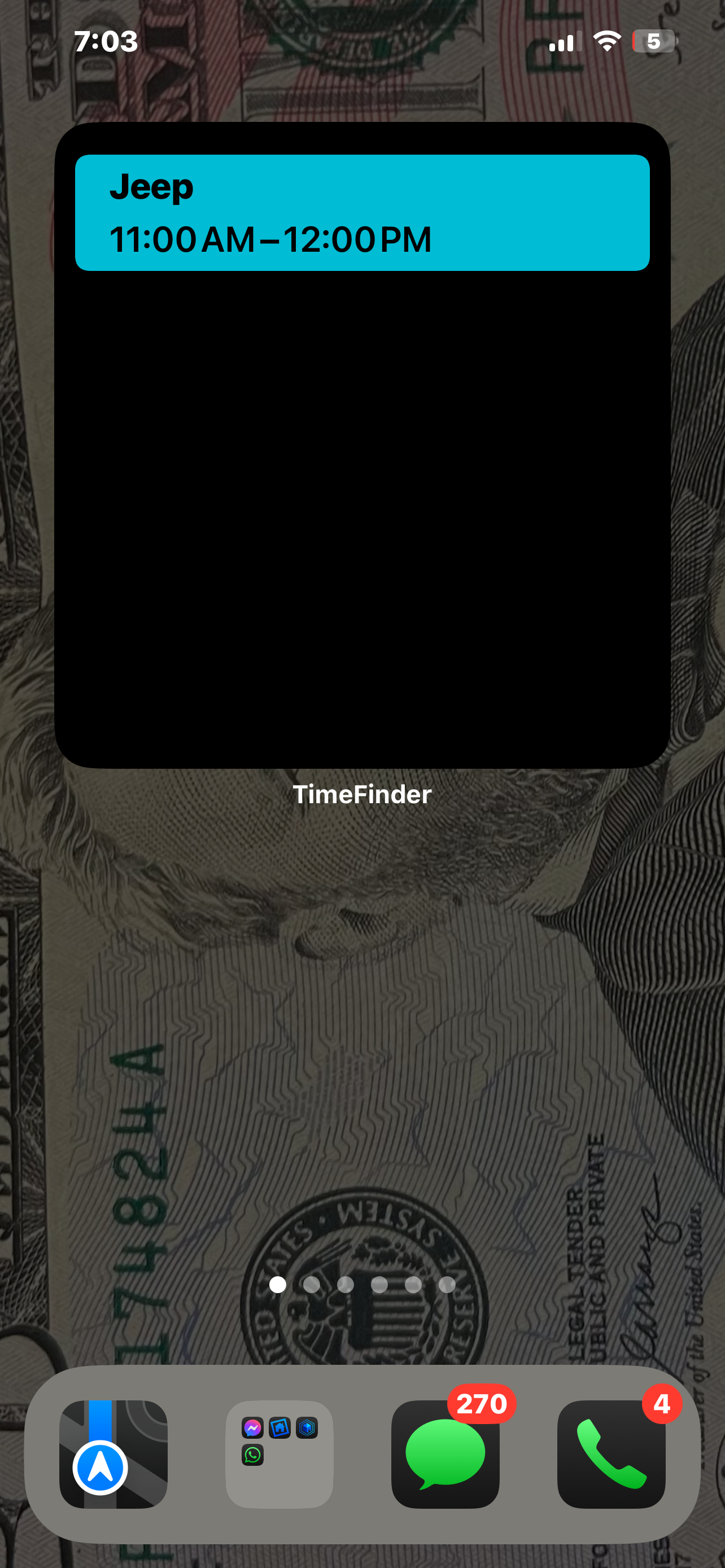
An issue is resolved in which the widget didn’t always update overnight; and…
A toggle has been added in the “Edit Widget” menu (accessible by long-pressing on the widget) called “Show only today’s tasks”—this can be disabled to show all upcoming tasks.
PLEASE NOTE: After the update, due to iOS limitations, you will need to DELETE the widget and re-add it in order for the "Show only today’s tasks” option to appear. Nothing I can do about that! 🤷🏼♂️
Log in to comment and vote
Comments1
Apr 22, 2025
PinnedThanks for your feedback! This is resolved in the upcoming update 8.7.17 coming out in a couple days.
Specifically, in the update:
An issue is resolved in which the widget didn’t always update overnight; and…
A toggle has been added in the “Edit Widget” menu (accessible by long-pressing on the widget) called “Show only today’s tasks”—this can be disabled to show all upcoming tasks.
PLEASE NOTE: After the update, due to iOS limitations, you will need to DELETE the widget and re-add it in order for the "Show only today’s tasks” option to appear. Nothing I can do about that! 🤷🏼♂️
Thank you! -Luke